

Stay updated with our letter
Valuable perspectives on the latest trends and tips.
.avif)


Best Digital Business Card For Teams | 2026 Review



A digital business card is easy to demonstrate: open a profile, scan a code and save a contact. Choosing one for a team is a different decision. The system also needs to keep information accurate, support the company's branding and connect a real conversation to a sensible follow-up process.
The best option depends on what the team is trying to improve. Sharing contact details, scanning paper cards, capturing event leads and managing field sales are related activities, but they are not the same job. A platform built for one may introduce unnecessary complexity when all you need is another.
This is a researched comparison of seven options, not a claim of hands-on testing or an independent security certification. Provider features, integrations and plans can change. Use the shortlist to prepare a practical trial and confirm the current configuration before committing to a company-wide rollout.
Start with the handover after the conversation
Imagine a hypothetical team returning from an industry event. Several people have new contacts, but the notes are scattered across phones, paper cards and inboxes. The problem is not simply a lack of digital cards. It is the missing agreement about where contacts belong and who should respond.
A card platform can support that agreement, but it cannot create it. Decide what information is needed, where it will be stored and how the next action is assigned. If you want follow-up automation, describe the intended message and the circumstances in which it should be sent. Capturing a contact does not automatically establish that every subsequent marketing message is appropriate.
For a smaller team, a straightforward profile and a reliable export may be enough. For a larger organisation, central templates, access management and integration with existing systems can become more important. Evaluate that operational fit before comparing the appearance of the physical cards.
Seven platforms to evaluate

1. Wave Connect: investigate central team management
Wave Connect offers digital business cards with team-management capabilities. It is worth considering when the brief includes central control of branding and a repeatable way to provide employees with current contact profiles. Review its current team and enterprise plans against the particular controls your organisation needs.
In a trial, ask the administrator to create a small group of profiles, apply the agreed design and change one shared company detail. Then ask an employee to update an allowed field. This reveals whether the balance between central control and individual editing matches the intended process.
Do not assume that every integration or identity-management feature is included in every plan. Confirm the required connection, field mapping and account lifecycle with the provider. The useful result is a working process your team can maintain, rather than a broad assertion that one product is the universal enterprise winner.
2. Uniqode: compare the required administration and access controls
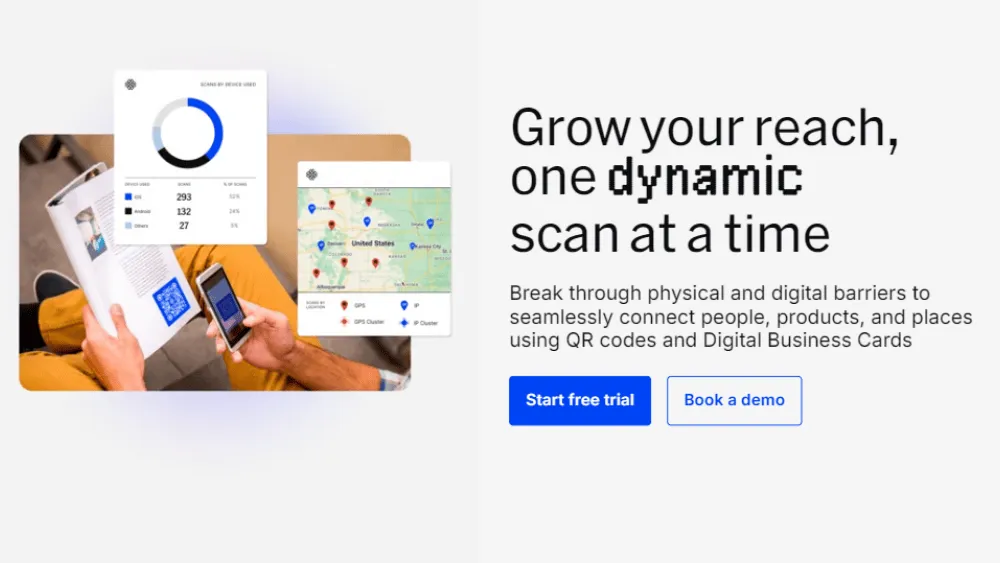
Uniqode provides digital business cards with plan-dependent team and business features. Its current documentation distinguishes access to integrations and security controls by plan. This makes the exact configuration important when a procurement brief includes directory integration or single sign-on.
Ask the provider to demonstrate the features required by your organisation and supply the relevant current documentation. A regulated business should assess the service through its own procurement and information-governance process. A marketing description of security is not a substitute for that review.
Test the recipient journey as carefully as the administrative one. Can someone open the profile, identify the person and find the right contact action on a phone? If the card will also appear in a wallet or printed material, check those versions with real devices and the final approved design.
3. Tapt: assess the physical and digital experience together
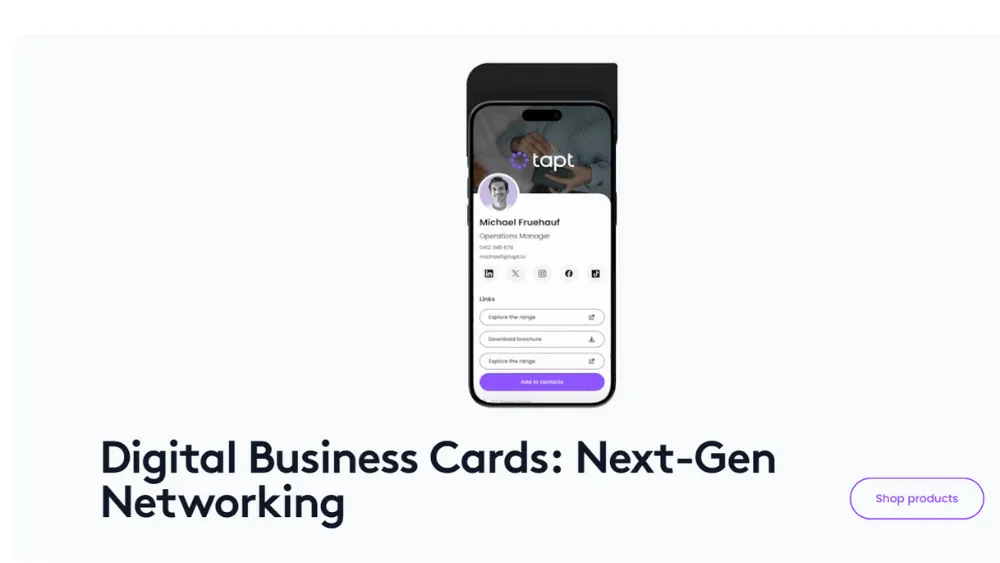
Tapt combines physical cards with digital profiles and team-management features. It is an option for organisations that want a tangible card as well as a shareable profile. Its current offering includes a dashboard for managing cards and profiles, with integrations and usage information to evaluate.
Choose the physical format according to how the team will actually use it. A card that looks distinctive in a product photograph still needs to be legible, durable enough for the intended setting and easy for a recipient to understand. Test the tap and QR-code routes rather than relying on one method alone.
If environmental claims influence the decision, ask for evidence about the specific product and its materials. Do not infer that buying a digital card establishes an organisation's overall sustainability performance. The practical comparison should include the replacement cycle, the number of cards needed and what happens when employee details change.
4. Tapni: review contact sharing as part of a workflow
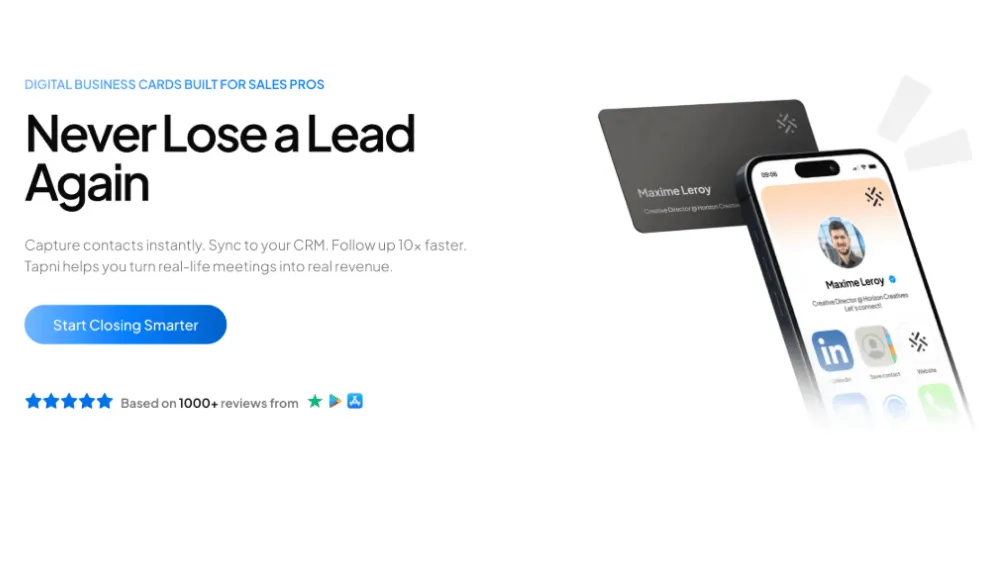
Tapni offers digital profiles and physical sharing options, with business features and CRM integrations to investigate. It may be relevant when the team wants the contact exchange to fit into a wider process rather than stop at displaying a phone number.
Use a representative meeting in the trial. Share a profile, capture the agreed details and follow the record into the intended destination. Check whether a useful note can travel with it and whether the person responsible for the next action can understand the context.
Confirm which parts are native to the service and which require another application or configuration. Include setup and ongoing support in the evaluation. An automation that is easy to demonstrate but difficult for the team to troubleshoot can create a new dependency without resolving the original problem.
5. Popl: evaluate event capture alongside digital cards
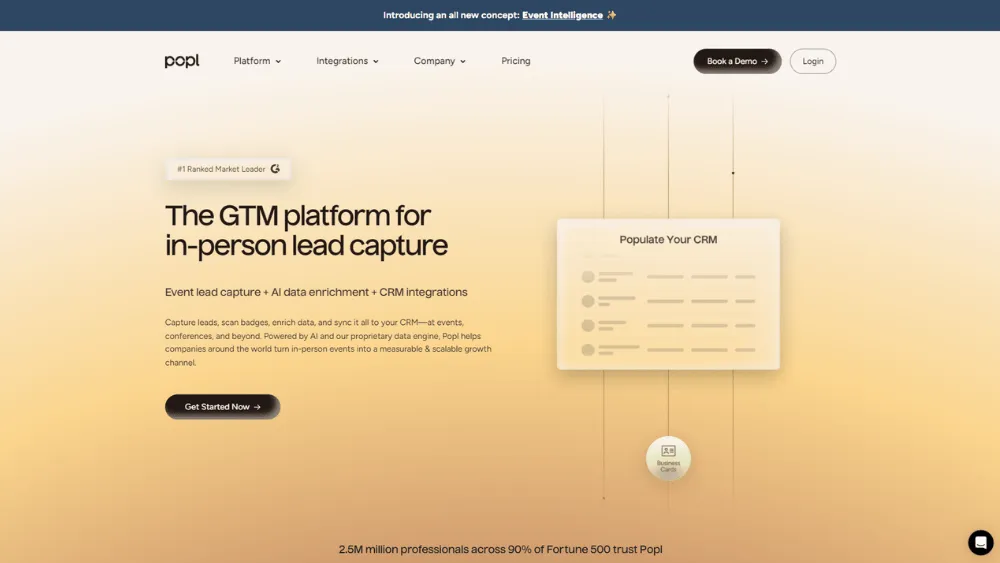
Popl offers digital business cards and event lead-capture capabilities. Its current product information describes card, badge and other capture routes alongside CRM connections. This wider scope makes it relevant to teams that attend events and need a structured process for the contacts they collect.
Describe the actual event conditions before choosing a package. Different badges, poor connectivity and incomplete contact details can change the experience. Ask what happens when a scan cannot resolve all the information and how the team reviews or corrects a record before relying on it.
Enrichment and validation features should be assessed for accuracy, provenance and suitability for your data process. A record appearing in a CRM is not the same as a qualified opportunity. The team still needs to understand the conversation, the person's interest and the appropriate next step.

6. SPOTIO: a wider field-sales decision
SPOTIO is a field-sales platform with territory and activity-management capabilities. That is a broader category than a simple digital business card. Include it in the comparison when the underlying need concerns a field-sales operation, rather than treating it as a like-for-like replacement for a contact profile.
Ask how information from an in-person visit enters the workflow and how it connects to the systems already used by the business. A field team may need account history, territory planning and follow-up visibility. Those requirements deserve a fuller implementation discussion than selecting a card design.
If the team only wants to share contact details, a wider sales platform may be unnecessary. Evaluate the total operational change, training and integration effort. Avoid assuming that a larger feature set makes it the better purchase for a smaller task.
7. CamCard: focus on the paper-card problem
CamCard provides business-card scanning and contact-management functionality. It is worth investigating when paper cards remain a significant input to the team's work. That use case can exist alongside another tool used to share your own company's profiles.
Test representative cards, including small text, unusual layouts and the languages the team encounters. Check the extracted information before it enters a shared database. Scanning can reduce typing, but a misread email address or incorrect company name still needs to be caught.
Also test duplicate handling and export. A contact may already exist in the CRM or may have been collected by another colleague. The useful workflow preserves the right information and context rather than creating a fresh record every time somebody scans the same card.
What the team trial should prove
Identity integration and card creation are separate requirements. If your organisation uses Microsoft Entra, establish which provisioning and sign-in behaviours you need and whether the chosen card plan supports them. Test a new employee, a role change and a departure rather than checking only the first successful login.
For a CRM such as Salesforce, define the fields and ownership rules before enabling a connection. Decide how meeting notes, source information and duplicates should be handled. A generic “CRM integration” label does not establish that the record will arrive in the right place with the right permissions.
Security material also needs precise interpretation. A reference to SOC 2 Type II compliance should lead to examination of the relevant report, scope and period, with the appropriate people in your organisation involved. A provider's assurance material does not automatically settle your own data-protection obligations or make every use of captured information appropriate.
| Trial task | What to observe | Why it matters |
|---|---|---|
| Update a shared company detail | Which profiles change and who can approve it | Consistent, maintainable information |
| Share with a new recipient | The actual phone and browser experience | A clear contact exchange |
| Send a record to the CRM | Fields, ownership and duplicate handling | A usable next step |
| Remove a departing employee | Access, profile behaviour and retained records | A controlled account lifecycle |
The destination is part of the brand experience
A digital card should make it easy to understand who the person is and how they relate to the company. Keep the name, role and contact actions clear. The company URL should lead to a useful, current website rather than a page that makes the recipient work out what the business does.
For a hypothetical agency team, different roles might need different secondary links. A project lead could link to the agency's process, while a specialist might share relevant work. Keep the shared branding consistent and use those differences to help the recipient, not to turn every profile into a crowded miniature website.
Review the landing pages reached from the card. A promising conversation can lose momentum if the project examples are outdated, the service description is vague or the contact form is difficult to use on a phone. This is where a design and website review can support the card rollout without pretending the card software alone creates demand.
Compare the full cost of a team rollout
Ask for a quote based on the number of people who need a profile and the functions they will use. A headline price for one personal card may not describe a centrally managed team. Confirm whether administrators, integrations, additional brands or replacement physical cards create separate charges.
Consider changes during the year. The business may hire new staff, change its branding or reorganise teams. Ask how those events affect billing and how quickly the administrator can make the required updates. Avoid assuming that a bulk-import demonstration covers every future change to the directory.
The cost of implementation belongs in the comparison too. Somebody needs to prepare employee details, approve the design, configure the destination systems and test the result. If the provider offers onboarding, clarify its scope and what your team still needs to supply. A short setup process can become longer when the underlying contact data needs cleaning.
Then compare the renewal and exit conditions. If the business changes supplier, will the existing QR codes continue to work, redirect somewhere useful or stop resolving? What can be exported, in which format and by whom? These questions are particularly important when codes have been printed on materials that will remain in circulation.
For a hypothetical team of twenty people, a simple pilot might include two frequent event attendees, one administrator and a colleague who only occasionally shares contact information. Their different experiences help reveal whether the package is appropriately sized. The objective is not to prove that everyone needs the most advanced plan, but to identify the functions the business will actually rely on.
Record the decision in a short comparison of requirements, confirmed features, unresolved questions and total commitments. This gives the person approving the purchase a clearer basis than a product ranking and leaves a useful reference for the person responsible for renewal.
Roll out in a small group before expanding
Choose a pilot group that represents the ordinary use cases, including an administrator and people who meet customers regularly. Agree the fields, approved design and expected follow-up process. Make sure the team understands what information they may collect and how to explain its use.
Give people a simple demonstration of sharing and receiving a card. Include a fallback when a tap does not work or someone prefers a conventional contact exchange. Training should focus on the real conversation, not just the sequence of buttons in the app.
Review the pilot with the people using it. Were profiles easy to share? Did records reach the intended system? Which details required correction? A small number of observed interactions can reveal practical friction that would be expensive to discover after issuing profiles across the whole company.
Before expanding, document account ownership and the support route. Confirm current recurring charges, any physical-card costs and the consequences of changing or ending the subscription. Include export and deletion arrangements so the business understands what happens to the information later.
Measure usefulness without confusing it with activity
Scans and profile views can indicate use, but they do not establish that a relationship developed. Track the part of the process the rollout was intended to improve, such as fewer incomplete records or more timely handling of relevant follow-up requests.
Keep the comparison realistic. A team attending a large event will produce different activity from one working with a small set of established clients. Avoid ranking employees solely by card usage without understanding their roles and opportunities.
The best digital business card for your team is the one that fits a tested workflow and remains manageable after launch. A clear profile, dependable contact handling and a coherent website destination matter more than a universal winner label. Choose on that evidence, then keep the information and process under review.
Provider references: Wave Connect plans, Uniqode plan documentation, Tapt team offering, Tapni for Business, Popl team features, SPOTIO platform and CamCard. For contact-data use, consult the ICO's business-to-business marketing guidance.
The answer depends on the product and the task. Viewing a shared profile may differ from managing a card, scanning a badge or editing a team template. Test the recipient journey and the employee workflow separately in the proposed configuration.
A QR code can link to a digital destination, but confirm how the chosen service manages that link over time. Test the final printed design and ask what happens if the profile, plan or supplier changes.
They can be useful when they improve an identified process such as keeping contact details current or handling event records. Compare the full cost with the verified benefit, including administration and integration work.
There is no universal winner. Compare the required sharing, administration, integration and data-handling workflow. Use a small trial with representative tasks before expanding across the team.
Agree the profile fields, approved branding and account responsibilities, then test a small group. Confirm how contacts reach the intended system and how profiles are updated or removed. Document the process before a wider rollout.



.webp)
Where ideas come to life
We explore various aspects of modern life, offering valuable perspectives on the latest trends, and helpful tips.

