

Stay updated with our letter
Valuable perspectives on the latest trends and tips.
.avif)


7 Essential Rules To Stay Safe Online | Tips For Beginners



Online safety is easier to manage when it becomes a few repeatable habits. You do not need to recognise every technical attack name. You need to protect important accounts, pause before acting on an unexpected request and know how to recover when something goes wrong.
The seven rules below apply to everyday browsing and to the accounts behind a small business website. Email, domain registration, hosting and the content management system deserve particular attention because access to one can affect the others.
No single app makes every activity safe. A password manager, an extra sign-in step, software updates and a sensible response process each address different risks. Use them together, and be cautious about claims that a product makes you anonymous or immune to scams.
1. Give each important account its own strong protection
Use long, unique passwords rather than repeating a memorable password across services. A password manager can help generate and store them, so you do not have to remember a different complicated string for every account. Protect the manager itself with the security and recovery options it provides.
Start with your main email account. Email is often used to reset other passwords, making it especially important to protect. Then review banking, cloud storage, social media and business accounts. For a website team, include the domain registrar and hosting or platform administration.
If a service supports passkeys, investigate the option and understand how access and recovery work on your devices. The important point is to use a supported, well-managed sign-in method rather than improvising a shared password in a spreadsheet or chat conversation.
For business work, give people their own accounts where possible. That makes it easier to control access and remove it when a role changes. A shared administrator login can make both accountability and recovery harder.
.avif)
2. Turn on an additional sign-in check
Two-factor authentication adds another requirement beyond a password. Depending on the service, that may involve a security key, an authenticator app or another supported method. Follow the provider’s current setup instructions and choose an appropriate option for the account.
Do not approve an unexpected sign-in request just to make the notification disappear. A prompt you did not initiate can be a sign that someone else is trying to access the account. Likewise, an unexpected caller should not be given a one-time code or asked to guide you through disabling protection.
Set up recovery before you need it. Store backup codes securely and understand what happens if a phone is lost or replaced. A security feature is more useful when the legitimate owner can recover access without relying on a former employee or a device nobody can find.
Multi-factor authentication reduces risk, but it does not make phishing impossible. Some methods resist phishing better than others, and attackers may try to persuade the user to approve access themselves. Keep the extra step and the habit of checking unexpected requests together.

3. Verify the request, not just the appearance
Phishing messages can look polished and use familiar names, logos or details. Misspellings can be a warning, but good spelling is not proof that a message is genuine. The more useful question is whether the request is expected and whether you can verify it independently.
Be careful with requests to change payment details, share account information, open a file or sign in urgently. Use a contact method you already trust to check the request. Replying to the suspicious message or calling the number it provides may simply keep you in the attacker’s conversation.
For a business, agree how sensitive changes are confirmed. A request to alter bank details should not be accepted solely because it appears in an existing email thread. A clear verification process helps staff pause without feeling they are obstructing an urgent task.
The original personal emails link leads to a cold-email article, not a security reference. Whether a message is personal or commercial, the same principle applies: assess what it asks you to do and confirm sensitive actions through a trusted route.

4. Keep devices and software supported
Install security updates for operating systems, browsers and applications. Use automatic updates where appropriate, and include less visible devices such as routers in the review. Unsupported software can leave a risk that a careful password alone cannot address.
Use the security protections appropriate to the device and organisation. The retained link to a reputable antivirus program is a product-review resource; check current vendor information and your IT requirements before adding software. Installing several overlapping tools is not a substitute for understanding what protection is already in place.
Slow performance, crashes and other various signs can justify investigation, but they do not prove a particular malware infection. The linked guide concerns a specific Mac threat. Avoid installing a supposed fix from an unexpected pop-up or giving remote access to someone who contacted you without invitation.
For a business website, updates also apply to the platform and its dependencies. Agree who maintains them and how changes are tested. A live site should not depend on everyone assuming someone else is responsible for its security.
5. Use networks and VPNs with realistic expectations
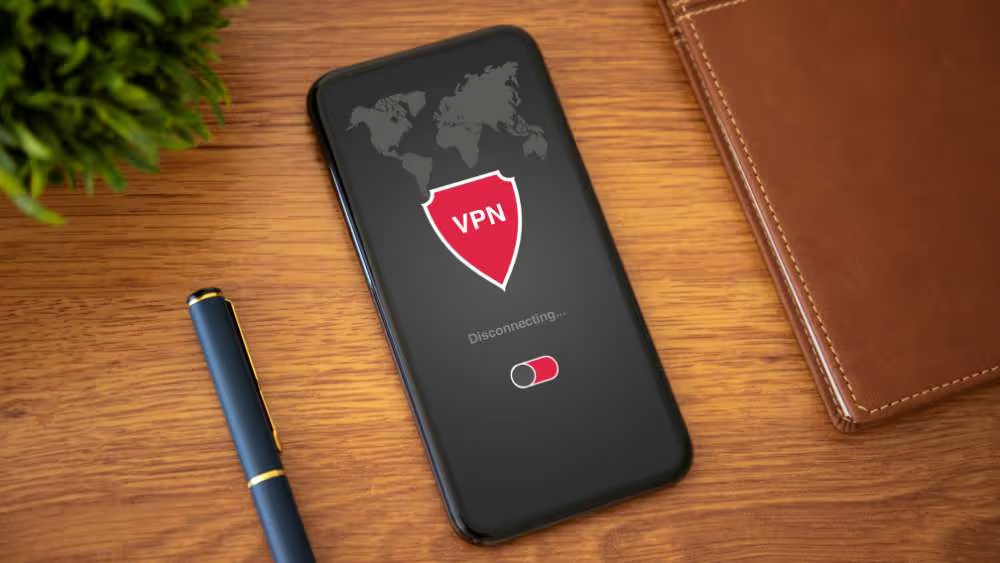
If you are asking what is VPN used for, the basic answer is that a virtual private network can encrypt traffic between your device and the VPN endpoint. It can be useful for a defined connection requirement, but it also means trusting the VPN provider and its implementation.
A VPN does not make a fraudulent website legitimate. It does not prevent you from entering a password into a phishing page, and it does not stop an account identifying you after you sign in. Cookies, account activity and other methods can still connect browsing with a person.
On public Wi-Fi, confirm the network name with the venue and avoid joining a similarly named network by guesswork. Do not dismiss certificate warnings. HTTPS protects the connection to the website, but the presence of HTTPS does not prove that the website itself is trustworthy.
If a connection seems questionable, use a trusted alternative such as your mobile connection, or wait. For work, follow the organisation’s approved connection arrangements. Avoid changing security settings just because a network’s sign-in page tells you to.
| Measure | Important limit |
|---|---|
| HTTPS | An encrypted connection does not establish that the site is honest |
| A VPN | The tunnel does not prevent account scams or make all activity anonymous |
| Multi-factor authentication | Unexpected prompts and recovery arrangements still need care |
| Security software | It complements updates and safe decisions; it does not guarantee protection |
6. Share personal information deliberately
Review what you publish and who can see it. A public profile can reveal contact details, working patterns and relationships that make a convincing impersonation easier. Privacy settings help control access, but they do not guarantee that information will never be copied or shared.
For a business, decide which contact details should be public and which belong in controlled systems. A website may need a clear enquiry route without exposing a staff member’s personal number or a customer’s private information.
Be careful with statistics such as the retained 33% of identity theft cases reference. A percentage needs a clear source, date and definition before it can support a claim; it is not used here as a verified measure of harm from oversharing. The practical advice does not depend on that number.
Understanding your online identity also means recognising that identity is built from more than an IP address. Accounts, documents, public profiles and other records can be linked. A VPN is not a complete solution to those broader identity and privacy questions.
7. Prepare a recovery route and a usable backup
Prevention matters, but recovery deserves a plan too. Keep important data backed up and check that it can be restored. A copy that is always accessible with the same compromised account may not provide the protection you expect.
For personal accounts, keep recovery information accurate. For a website team, record who can access the domain, platform, email and backups, and how ownership is proved. Store that information securely, with access limited to the people who need it.
If you suspect an account has been compromised, use the provider’s genuine recovery process from a trusted device. Follow its instructions to restore access, change compromised credentials and review active sessions or security settings. Do not pay an unsolicited “recovery expert” who appears in comments or messages.
If money may be involved, contact the bank or payment provider immediately through an official route. For work accounts, notify the responsible team promptly so that related access and systems can be checked. A quick, clear report is more useful than quietly trying to hide the mistake.
How to compare VPN services without a misleading ranking
The earlier guide named Surfshark, NordVPN, ExpressVPN, CyberGhost and Proton VPN, along with free-plan references to Windscribe, TunnelBear and Hide.me. Those names are research starting points, not a current performance ranking or a promise that their old limits and prices still apply.
Start with the reason you need a VPN. A company connection requirement is different from a personal privacy preference. Check the supported devices, the scope of the connection, the provider’s privacy information and the practical limitations of the plan.
Review evidence behind security claims, including the date and scope of any independent audit. A claim about logging needs to be understood in the context of the service and policy; a server count or the phrase “military-grade” does not explain the full privacy model.
Free plans may have limits on features, locations, usage or support, and those limits can change. Paid plans also need review: look at renewal terms, cancellation and whether the service solves your actual requirement. Do not install a product merely because an old comparison lists it first.
Atlas VPN, also named in the original article, discontinued its service in April 2024 according to its own announcement. It should not be presented as an available recommendation. This is a useful example of why security product lists need more than a new date at the top.
Make home Wi-Fi part of the routine
Use a strong router administration password and an appropriate Wi-Fi password. Keep the router’s software current and follow the manufacturer’s supported security settings. If an old router no longer receives updates, consider the replacement options rather than assuming it can be secured indefinitely.
A guest network can help separate visitors from devices and resources they do not need to access, where the router supports that arrangement. Review connected devices occasionally and remove access that is no longer needed. Smart devices should have their default credentials and update settings checked too.
Keep the setup understandable for the people using it. A complicated arrangement that nobody can maintain may lead to protection being disabled when something stops working. Document the basic responsibilities and the support route without leaving passwords in a public place.
Check the recovery chain between accounts
Think about which account controls the others. If the same email address receives password resets for the domain, website and cloud storage, protecting that mailbox has consequences beyond email. Check that the recovery address and phone number are current, and that an authorised person can use them.
Also check what happens when a supplier leaves. The business should not discover during an incident that its only administrator or recovery contact belongs to a former contractor. Review ownership during a calm handover, when changes can be planned and tested without the pressure of an outage.
A short routine for a small website team
Online safety becomes more dependable when routine checks have an owner. A small team does not need an elaborate dashboard to establish who maintains accounts, updates the site and responds to an unusual request.
- When someone joins: give appropriate individual access and explain the verification process.
- When a role changes: review permissions and recovery contacts.
- When the site changes: check the affected forms, integrations and account settings.
- When something looks wrong: report it quickly through a known route.
For an agency-client relationship, include those responsibilities in the handover and support agreement. The business should know who controls its essential accounts and how to get help. Good website design includes clear, trustworthy interactions; good operation keeps the systems behind those interactions under responsible control.
Begin with one neglected area rather than trying to fix everything at once. Protect the main email account, set up the extra sign-in step, check updates and confirm the recovery route. These are practical improvements that make the next safe decision easier.
Primary guidance: NCSC online safety tips, account recovery guidance, CISA password guidance and Atlas VPN’s closure announcement.
Use strong, unique account protection, enable an appropriate extra sign-in check, install updates and verify unexpected sensitive requests through a trusted route. Keep recovery information and backups usable.
No. A VPN can protect traffic between your device and its endpoint, but accounts, cookies and other information can still identify activity. It does not make a fraudulent website trustworthy.
Do not approve it if you did not initiate the sign-in. Check the account through its genuine service and follow the provider’s security guidance. For a work account, notify the responsible team.
HTTPS protects the connection, but it does not establish that the site or its request is legitimate. Check the destination and independently verify sensitive actions.
Use the genuine provider’s recovery process from a trusted device and notify the appropriate support team. If money may be involved, contact your bank or payment provider immediately through an official route.



.webp)
Where ideas come to life
We explore various aspects of modern life, offering valuable perspectives on the latest trends, and helpful tips.

