

Stay updated with our letter
Valuable perspectives on the latest trends and tips.
.avif)


Learn 5 Steps How to Become a Web Designer | Beginners Guide
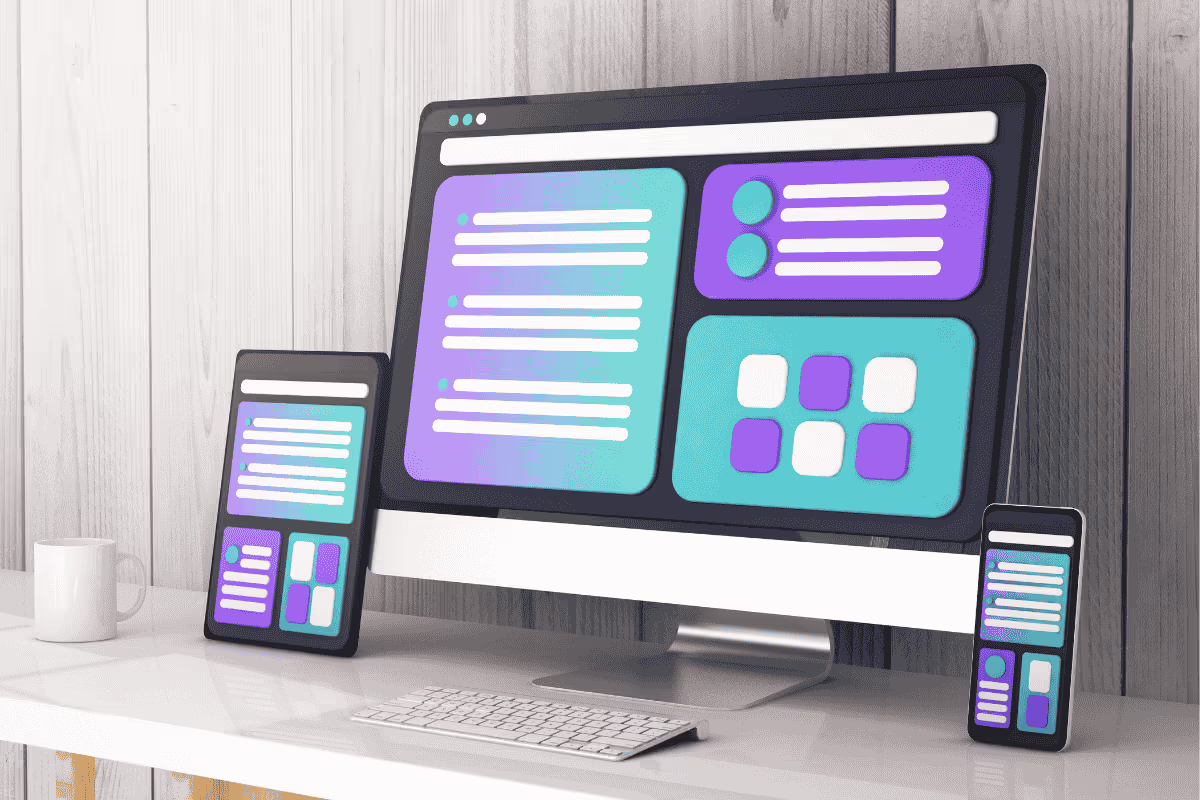


Key takeaway: Becoming a web designer requires visual fundamentals, UX thinking, responsive design, accessible interfaces and a portfolio that explains decisions.
Web design combines visual communication, user experience and technical delivery, and it can be learned through deliberate practice and real projects. This guide will walk you through 5 essential steps to kick-start your web design career - no experience needed!
What is a Web Designer?
A web designer is a creative professional responsible for designing visually appealing, user-friendly and functional websites. They focus on the look, layout and overall user experience (UX) of a website, ensuring it is aesthetically pleasing, easy to navigate, and aligned with the brand's identity.
Key Responsibilities of Website Designer
- Website Layout Design: Create intuitive page structures and navigation flows.
- Visual Elements & Branding: Select fonts, colours, and graphics to reflect a brand’s identity.
- Usability & Accessibility: Ensure the site is responsive and accessible on all devices.
- Prototyping & Wireframing: Build mockups and wireframes.
- User Experience (UX): Design interfaces that provide smooth and engaging user interactions.
Web Design Skill Requirements
- Design Tools Expertise: Figma, Adobe X, Sketch, and Photoshop.
- Graphic & Visual Design: Knowledge of typography, colour theory, and layout principles.
- Basic Coding Knowledge: Understanding of HTML, CSS, and JavaScript (optional but valuable).
- UX & UI Design: Crafting seamless digital experiences with user-centered design principles.
-------------------------------------------------------
5 Steps to Become a Web Designer
Whether you’re just starting or transitioning from another field, or becoming a web designer at a web design company, it requires a mix of creative design skills, technical knowledge, and business marketing strategies. Follow these five essential steps to kick-start your web design career and stand out in this competitive industry.
1. Education & Training 🎓
Web design is no longer just about knowing how to code, it’s about blending creativity with technology. To succeed, you’ll need to master both design principles and technical skills such as front-end development and user experience (UX) design.
A good place to start is learning the differences between wireframes and prototypes, as both are essential parts of the web design process. Wireframes help you plan structure and layout, while prototypes let you test interactions and user flow before a site is built.
- Formal Education: Consider degree programs in web design, graphic design, or digital media.
- Online Learning Platforms: If formal education isn’t an option, online courses are affordable and flexible.
Free Design Courses:
- Webflow University – Learn website building, CMS management, and web animation principles with step-by-step tutorials.
- YouTube (Traversy Media & The Net Ninja) – Comprehensive tutorials on front-end development, web design tools, and frameworks like React and Bootstrap.
- Google Digital Garage – Free certification courses in web development, SEO, and digital marketing strategies.
- FreeCodeCamp – Extensive coding lessons covering responsive web design, JavaScript, and front-end libraries like React.
- Khan Academy – Beginner-friendly web development and JavaScript tutorials to create a website.
Paid Web Design Courses:
- Udemy – Affordable courses on web development, UI/UX design, and web design tools like Adobe XD and Figma.
- Treehouse – In-depth bootcamps focused on front-end development, full-stack development, and JavaScript frameworks.
- OpenClassrooms – Versatile courses in web development, UX design, and web project management with industry-recognized certificates.
- LinkedIn Learning – Access thousands of professional courses on web design, digital marketing, and business development.
- Skillshare – Project-based web design classes covering responsive design, UI/UX principles, and web prototyping tools like Sketch and Figma.
-------------------------------------------------------
2. Find Your Niche 🎯
Specializing in a specific niche can help you stand out and attract more clients. Choosing a focus that aligns with your interests and market demand will allow you to build a stronger portfolio and position yourself as an expert in that area.
Whether it’s designing for startups, e-commerce businesses, or websites for accountants, having a clear niche can set you apart in the competitive web design market, especially when you collaborate with in-house web designers.
Popular Niches
- E-commerce Websites: Various online stores from fashion and electronics to retail brands.
- Brochure Websites: These are typically small, informational websites for businesses like consulting firms, finance or local service providers.
- Portfolio Websites: Ideal for artists and agencies who want to showcase their work or services in different industries.
- Business Websites: Corporate websites for companies looking to establish an online presence, including law firms, tech startups, and real estate agencies, often require skilled agency web designers.
-------------------------------------------------------
3. Build a Strong Portfolio 💼
Your portfolio is your professional calling card. Showcase your best work with detailed descriptions, project goals and results. Your website should be your portfolio's centrepiece.
Use platforms like Webflow, WordPress, or Framer to create a site that reflects your brand and style. This is your chance to show what you can do in action.
Start with Personal Projects:
- Create sample websites for imaginary clients, passion projects, or redesigns of popular sites. Show your creative thinking and technical ability, even if you haven’t landed paid projects yet.
Help Friends & Family:
- Offer your services at a discount or for free to small businesses, friends or local charities. This will help you gain real-world experience while filling your portfolio with professional-looking projects.
Show the Process:
- The client’s goals (even if imaginary)
- Your design approach and creative decisions
- The final results, with live links, screenshots and testimonials if available
-------------------------------------------------------
4. Market Yourself & Build a Brand 💥
Success in web design isn’t just about fundamental skill sets, it’s also about visibility. Learn how to market yourself, build a personal brand and attract potential clients or employers.
Self-Marketing Strategies:
- Create a Personal Website: Showcase your portfolio and proficient services.
- Network Actively: Join online forums, attend tech events or attend meetups.
- Leverage Social Media: Connect with people and share your work on LinkedIn, Dribble, Behance or Github.
- Freelance Platforms: Become a freelance web designer, sign up on Upwork, PeoplePerHour and Fiverr.
- SEM & SEO: Invest in search engine marketing [Google, Bing, FB] or search engine optimization and backlink building.
-------------------------------------------------------
5. Stay Up-To-Date With Best Practices 🚀
Web design evolves rapidly, driven by changing technology, design trends and user expectations. Staying relevant is essential for career growth and keeping your skills current.
- Watch Tutorials & Webinars: Traversy Media, The Net Ninja, DesignCourse, Fireship.io, Flux Academy, Web Bae
- Follow Design Blogs: Smashing Magazine, Web Designer Depot, CSS-Tricks, Designmodo
- Subscribe to Newsletters: UX Collective, CSS Weekly, Awwwards
- Join Communities: Reddit, Slack & Discord Design Services, LinkedIn, Stack Overflow

Web Designer vs Web Developer
=> A WEB DESIGNER focuses on a website's visual appearance and user experience (UX) by creating layouts, choosing colour schemes, and designing interactive elements. They ensure the site is visually appealing and intuitive using tools like Figma, Adobe XD, and Sketch.
=> In contrast, a WEB DEVELOPER brings these website designs to life through coding and technical implementation. They build the website’s structure, functionality, and database integration using programming languages like HTML, CSS, JavaScript, and back-end frameworks like Node.js or PHP.
Together, web designers create what users see, while web developers ensure how it works behind the scenes. Both roles are essential for building modern, engaging websites.
-------------------------------------------------------
Types of Web Designers
Web design is a multi-faceted field, and web designers often specialize in different areas based on their skills and career goals.
1. UX Designer (User Experience Designer)
Enhancing the user's experience while interacting with a website. They ensure that every element on the site is intuitive, accessible, and tailored to meet user needs through thorough research and testing.
- Conducting user research and usability testing
- Creating wireframes, prototypes, and user journey maps
- Ensuring the site is easy to navigate and intuitive
Tools: Figma, Axure RP
Example: Designing mobile-friendly websites for family location-sharing app requires expertise in UX/UI design and a focus on user privacy and app development.
-------------------------------------------------------
2. UI Designer (User Interface Designer)
Designing the website's visual components and interactive features. They create visually appealing interfaces while ensuring seamless interaction between users and the website’s features.
- Crafting interactive design elements like buttons, forms, and icons
- Ensuring design consistency across all web pages
- Collaborating with UX designers and developers
Tools: Adobe XD, Sketch, InVision Studio
Example: Creating the user interface for Monzo Bank’s mobile app, ensuring a clean, modern design that allows users to easily manage their finances on the go.
-------------------------------------------------------
3. Visual Designer
Creating the overall visual aesthetic of a website. They combine branding, colour theory, and typography to build cohesive and visually stunning websites that leave lasting impressions.
- Designing colour schemes, typography, and branding
- Creating graphics, animations, and multimedia content
- Ensuring the site aligns with the brand’s identity
Tools: Adobe Photoshop, Illustrator, Canva
Example: Developing the entire website look for Burberry’s official online store, ensuring a luxurious, fashion-forward visual experience that reflects the brand's high-end identity.
-------------------------------------------------------
4. Interaction Designer
Enhancing the website’s interactive features. They design animations, transitions, and user-triggered effects that create dynamic and engaging experiences.
- Designing animations, hover effects, and interactive content
- Building interactive prototypes for user testing
- Ensuring smooth transitions between website features
Tools: Proto.io, Principle
Example: Designing interactive storytelling elements for the BBC News website, making news articles more immersive with engaging visual effects and interactive infographics.
-------------------------------------------------------
5. Front-End Web Designer
Designing and coding websites using front-end technologies. They bridge the gap between design and functionality, ensuring that designs are brought to life with clean, responsive, and efficient code.
- Building web pages with HTML, CSS, and JavaScript
- Ensuring cross-browser compatibility and responsive design
- Optimizing site performance and speed
Tools: VS Code, GitHub, Bootstrap
Example: Building and maintaining the front-end interface for ASOS.com, ensuring a responsive, user-friendly eCommerce experience across all devices.
-------------------------------------------------------
6. Product Designer
Designing digital products and tools, often involving web-based applications. They manage the entire design lifecycle, focusing on usability, innovation, and scalability for digital products.
- Designing complex digital tools like web apps and SaaS platforms
- Combining UX, UI, and interaction design principles
- Managing product design from concept to launch
Tools: Miro, InVision
Example: Leading the design of Slack's web-based platform, enabling seamless communication and collaboration for businesses worldwide.
-------------------------------------------------------
7. Web Graphic Designer
Specializing in website graphics and visual assets. They design marketing visuals, web banners, and logos, ensuring that brand identity is consistent across all digital platforms.
- Creating banners, logos, and custom images
- Designing web-based advertisements and marketing graphics
- Collaborating with marketing teams for campaign visuals
Tools: Adobe Photoshop, Canva
Example: Creating promotional banners and digital ads for Nike UK’s website, ensuring visually striking product launches that drive online sales.
-------------------------------------------------------
8. Content Designer
Designing content-driven websites with an emphasis on information presentation. They structure web content to be engaging, user-friendly, and optimized for search engines, ensuring clear and effective communication.
- Structuring website content for readability and SEO
- Creating engaging blog layouts and content management systems (CMS)
- Collaborating with writers and developers
Tools: Webflow, Drupal
Example: Developing the educational content layout for Open University UK, ensuring online courses are visually structured and easy to navigate for distance learners.

Essential Web Design Software
Whether you’re just starting out or looking to upgrade your web design toolkit, having the right tools can make a world of difference
a) Figma (Design & Prototyping): A cloud-based UI/UX design platform for creating responsive web designs, wireframes, and interactive prototypes. It’s collaborative, making team projects seamless.
b) Adobe XD (UI/UX Design): A powerful design and prototyping tool for creating website interfaces, wireframes, and interactive prototypes with smooth animations, helping web designers build websites efficiently.
c) Webflow (Website Builder): A no-code web design tool that allows you to create visually stunning, responsive websites while generating clean HTML, CSS, and JavaScript code.
d) Sketch (Design & Mockups): A macOS-exclusive design tool used by web and app designers for creating pixel-perfect mockups, UI components, and digital product designs.
e) Visual Studio Code (Code Editor): A lightweight yet powerful code editor with built-in support for web languages like HTML, CSS, and JavaScript. It offers extensions, debugging, and version control.
f) Canva (Graphic Design): A user-friendly design platform for creating web graphics, banners, and marketing assets. Its pre-made templates are ideal for non-designers.
g) Adobe DreamWeaver: Website creation program that allows you to build and publish web pages almost anywhere with software that supports HTML, CSS, JavaScript and more.
h) Google Fonts (Typography Library): A free library of open-source fonts that web designers can integrate into websites to enhance readability and style consistency.
-------------------------------------------------------
Web Design Career - Freelancer vs Employee
Ready to launch your career in web design? Whether you go solo or join an agency, your creativity and skillset will shape the digital world. Start designing your future today!
Become a Freelance Web Designer
Becoming a freelance website designer lets you be your own boss, work from anywhere and choose projects that fuel your passion. As a freelance web designer, you’ll work with multiple clients across industries, creating websites that are visually captivating and technically robust.
FREELANCER PROS:
- Creative Freedom: Choose the projects you’re passionate about.
- Flexible Schedule: Work when and where you want.
- Higher Earning Potential: Set your own rates and keep all profits.
- Diverse Client Base: Collaborate with businesses globally.
- Skill Growth: Manage all aspects of projects, from design to client management.
FREELANCER CONS:
- Unstable Income: Projects may be inconsistent at first.
- Client Management: You handle contracts, deadlines, and client expectations.
- No Benefits: Health insurance, pensions, or paid leave aren’t guaranteed.
- Time-Intensive: Balancing creative work with administrative tasks can be overwhelming.
-------------------------------------------------------
Become A Web Agency Employee
Becoming a web design agency employee means working on exciting projects for diverse clients while collaborating with a team of talented designers, developers, and marketers. As a web designer at an agency, you’ll craft cutting-edge websites for brands ranging from startups to global enterprises.
AGENCY PROS:
- Stable Salary: Consistent income with the potential for raises.
- Team Collaboration: Work alongside other talented designers and developers.
- Less Admin Work: No need to manage clients, invoices, or contracts.
- Career Growth: Opportunities for promotions and specialization.
- Work-Life Balance: Defined working hours and job security.
AGENCY CONS:
- Less Creative Control: Design decisions may be influenced by the company’s guidelines.
- Fixed Hours: Limited scheduling flexibility unless
- Workload Pressure: Meeting tight deadlines can cause burnout.
- Limited Client Interaction: Direct communication with clients is often managed by project managers.

Web Designer Salary
The web design work is thriving, offering competitive salaries, job security, and exciting career prospects to anyone serious about pursuing a career in building websites.
- Junior Designer: £35,000 - £40,000
- Mid-Level Web Designer: £40,000 - £50,000
- Senior Designer: £50,000 - £65,000
- Lead Designer: £85,000+
Freelance Web Designer Rates
Freelancers often charge £150 - £500 per day, depending on their experience and the complexity of the project. High-demand specialists, like UX designers, can command even higher rates.
Factors Influencing Web Designer Salaries
- Experience: As with any career, your experience level plays a significant role. Junior designers may start at the lower end, while seasoned professionals with a strong portfolio can command much higher rates.
- Location: Salaries are typically higher in cities like London, Manchester, and Edinburgh compared to smaller towns. For instance, a senior designer in London can earn up to 30% more than the national average.
- Specialization: Specializing in areas like UI/UX design, e-commerce platforms, or SaaS interfaces can increase your earning potential.
- Skills & Tools: Mastery of in-demand tools like Figma, Adobe XD, and Webflow, as well as coding skills (HTML, CSS, JavaScript), can significantly boost your salary.
Web Design Jobs
Whether you’re looking for freelance projects, full-time roles, or remote work, knowing where to search can make all the difference.
1. Job Boards & Career Websites 🧑💻
- Indeed: One of the UK’s largest job boards offering thousands of web design roles.
- LinkedIn Jobs: Great for networking and applying directly to web design jobs at top companies.
- Reed: UK-based job board with listings for entry-level to senior web design roles.
- TotalJobs: Trusted job search platform featuring a wide range of tech-related positions.
- Jobsite: A popular UK platform for tech and creative roles, including web design.
-------------------------------------------------------
2. Freelance Platforms & Marketplaces 💼
- Upwork: A global freelancing platform with high-paying web design gigs.
- PeoplePerHour: UK-based platform offering project-based jobs in web design and development.
- Fiverr: A great place to offer web design services and build a client base.
- Toptal: A selective freelancing platform for experienced designers.
- Freelancer: A well-known platform for finding web design and coding projects globally.
-------------------------------------------------------
3. Creative & Design-Specific Platforms 🎨
- Dribbble Jobs: Perfect for finding design-focused roles, from UI/UX design to web development.
- Behance Job Board: Showcase your portfolio and find creative job listings worldwide.
- DesignCrowd: A creative marketplace offering freelance web design projects.
- WeWorkRemotely: Great for remote design jobs, including front-end development and UI design.
- WorkingNotWorking: A highly curated platform connecting top creatives with global brands.
-------------------------------------------------------
4. Recruitment Agencies & Talent Marketplaces 🏢
- Creativepool: UK-based job platform connecting designers with creative agencies.
- The Dots: A creative job board perfect for networking and job hunting.
- Aquent: A creative talent agency specializing in placing designers and developers.
- YunoJuno: Connects freelancers with top UK companies.
- Clutch: Directory of web development agencies around the world.
Conclusion - Learn Web Design
Becoming a web designer with no experience is possible with the right career path and dedication. The UK’s digital industry offers limitless opportunities, whether you choose freelancing, working at an agency, or building your own brand.
Focus on developing necessary skills such as HTML and CSS, mastering design tools like Figma and Adobe XD, and pursuing certifications like Adobe Certified Professional to boost your credentials. Continuous learning, specializing, and networking will set you on the path to a successful and fulfilling web design career.
Yes! Many web designers are self-taught through online courses, YouTube tutorials, and platforms like Webflow University, FreeCodeCamp, and Google Digital Garage. Dedication, practice and a strong portfolio are key to landing jobs.
Start by learning HTML, CSS, and JavaScript through free tutorials or beginner-friendly courses on Udemy or Treehouse. Use design tools like Figma and Adobe XD for practice. Build a portfolio website showcasing personal or volunteer projects.
Freelancers can find clients on Upwork, PeoplePerHour, and Fiverr. Use LinkedIn to network, join web design communities, and showcase your work on Dribbble, Behance, and Instagram. Attend events like London Tech Week for direct networking.
Browse design galleries like Awwwards, Dribbble, and Behance. Follow design blogs like Web Designer Depot and Smashing Magazine. Participate in design challenges on Design Buddies (Discord) or explore creative sites like Pinterest and Muzli.
It depends on how deep you want to go, but if you're starting from scratch, you can learn the basics of web design in 3 months with consistent practice. This includes understanding layout, typography, colours and using tools like Webflow, Figma or WordPress.
If you want to get job-ready or build client websites confidently, give yourself 6 to 12 months to learn both design principles and front-end basics like HTML and CSS.



.webp)
Where ideas come to life
We explore various aspects of modern life, offering valuable perspectives on the latest trends, and helpful tips.

