

Stay updated with our letter
Valuable perspectives on the latest trends and tips.
.avif)


Which Professional Web Design Software Is Best for You?



The best professional web-design software is the tool that fits the work you need to do and the people who will maintain the result. Designing an interface, publishing a marketing website and running an online store are related tasks, but they are not the same job.
A functional website needs useful content, a clear structure and dependable interactions. Software can help implement those decisions; it cannot make them all on your behalf. A visual builder may make it easy to place a section on a page while leaving you responsible for the message, responsive layout and testing.
Separate a public website from wider business applications. If your requirements involve operational systems, suppliers such as HireDynamicsDevelopers belong in a different evaluation from a simple website-builder shortlist. Define the integration or workflow first and confirm the provider's current scope directly. Buying a page-building tool does not automatically solve an internal business-process problem.
This guide compares six options from our original shortlist and explains how to assess the wider toolkit. It is a requirements-led guide rather than a claim that one platform wins every category. Plan details, features and prices change, so verify the configuration you need before committing.
Decide which kind of tool you are choosing
An interface-design tool helps plan layouts, components and interactions. A website builder implements and publishes pages. A content management system structures material that will change over time. A code editor supports development. An image editor prepares visual assets. Some products cover several of these roles, but the distinctions help you identify what is missing.
Start with a representative task. A consultant may need to publish service pages and add case studies. A retailer needs to maintain products and handle orders. A team launching a software product may need a marketing site connected to a separate application. The most convenient tool depends on which of those workflows matters.
Include the future editor in the decision. Ask them to update an image, change a service description and add an item of repeatable content. A tool that suits a specialist developer may need a carefully designed editing structure for everyone else. Ease of initial setup and ease of ongoing management are different questions.
Six website platforms to evaluate
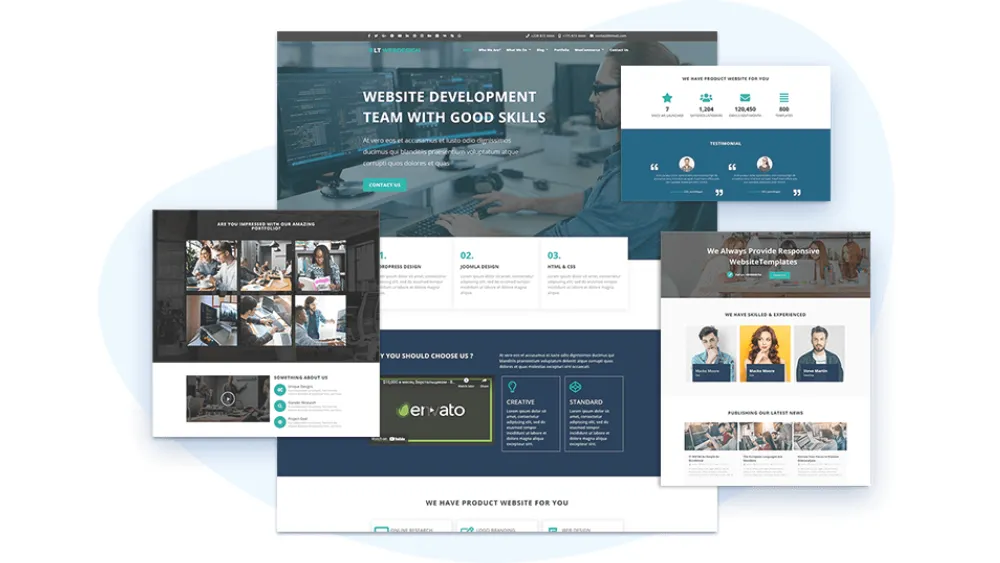
1. WordPress with Elementor
WordPress provides a content-management foundation, while Elementor offers a visual page-building approach within that ecosystem. This combination can be relevant when the team wants flexible content and access to established plugins. Distinguish the WordPress software from hosted services and make the proposed hosting arrangement explicit.
Flexibility comes with decisions. A build may depend on a theme, the page builder and several additional plugins. Ask which component handles each requirement, whether a paid licence is needed and how compatibility will be checked. Adding another extension is not automatically the simplest long-term solution.
Plan regular maintenance and updates from the beginning. Someone needs to manage the agreed update and recovery process and test important functionality after changes. If a supplier describes everything as easy to edit, ask them to demonstrate your actual content tasks. The structure they build matters as much as the editor they choose.
For a trial, create one service page and one repeatable content item with real text. Check the mobile layout, image handling and editing permissions. This gives you a practical basis for deciding whether the proposed combination suits the team, rather than judging it solely by a polished theme demonstration.
2. Wix
Wix combines website-creation tools with a range of business features. It can be worth evaluating when you want to manage the site within one hosted environment. The important question is how its available tools and plans fit the functions you need, not whether a template can produce an attractive first screen.
Build a representative page and test the ordinary workflow: editing content, reviewing mobile behaviour and connecting the intended action. If the business needs bookings, a catalogue or another feature, evaluate that requirement early. Check the specific product and plan involved rather than assuming every advertised capability is included in the same package.
Also consider future changes. Ask how you would reorganise a content-heavy site, move information elsewhere or hand the build to another editor. A fast start is useful, but the operating model should remain understandable when the site becomes part of the business's daily work.
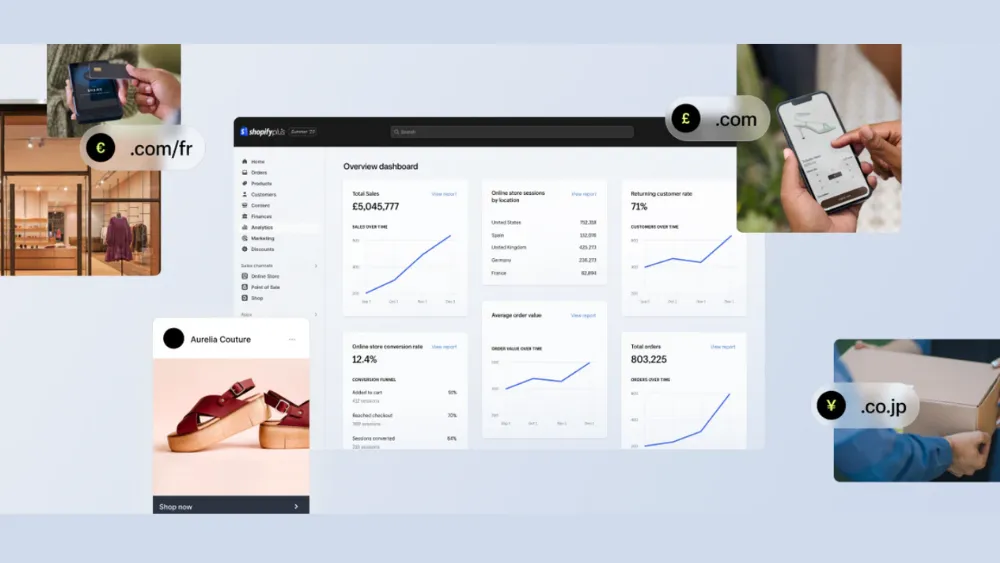
3. Shopify
Shopify is designed around commerce and is a relevant starting point for online stores. Evaluate the product catalogue, variants, payments, delivery and fulfilment workflow together. The storefront's visual design is important, but the platform decision also affects how the business manages orders and customer information.
Test with realistic products. An item with several options, a sold-out variant and a shipping restriction can reveal requirements that a single demonstration product misses. Confirm what the theme handles, what an application supplies and where custom development is proposed.
Compare the full operating cost rather than only the base subscription. Themes, applications and payment arrangements can affect the total. The appropriate setup depends on the business and market, so request a clear list of recurring commitments. Do not assume a product described as scalable removes the need to plan the catalogue and connected operations.
4. Weebly
Weebly offers a website builder with templates and drag-and-drop editing. For a basic online presence, it can be included in a shortlist where the main requirement is straightforward content publishing. Check its current offering and support arrangements directly, especially before making a longer-term commitment.
Try the exact tasks you expect to repeat. Can you update business information, add a page and manage the relevant content without rearranging the whole layout? If you need functionality beyond a simple site, establish how it will be delivered and what limitations apply.
A modest scope can be a strength when it keeps the site manageable. The problem comes when a business chooses a simple tool and later expects it to behave like a custom application without further planning. Record both the immediate requirements and foreseeable constraints before deciding.
5. GoDaddy Website Builder
GoDaddy offers website-building services alongside domain-related products. This may be convenient for a business looking to evaluate several setup needs together. Treat each part of the package separately enough to understand its purpose, renewal terms and ownership.
Use a trial or demonstration to assess your actual pages and required actions. A service business should check how enquiries or appointments are handled; a shop needs to inspect the complete commerce workflow. Confirm the appropriate plan and any additional services rather than assuming the first advertised price covers everything.
Review how much control you need over layout and content. A guided approach can reduce decisions for a straightforward project, while a more unusual design or integration may require another route. Choose on that fit instead of describing every beginner-oriented builder as either universally easy or inherently unprofessional.
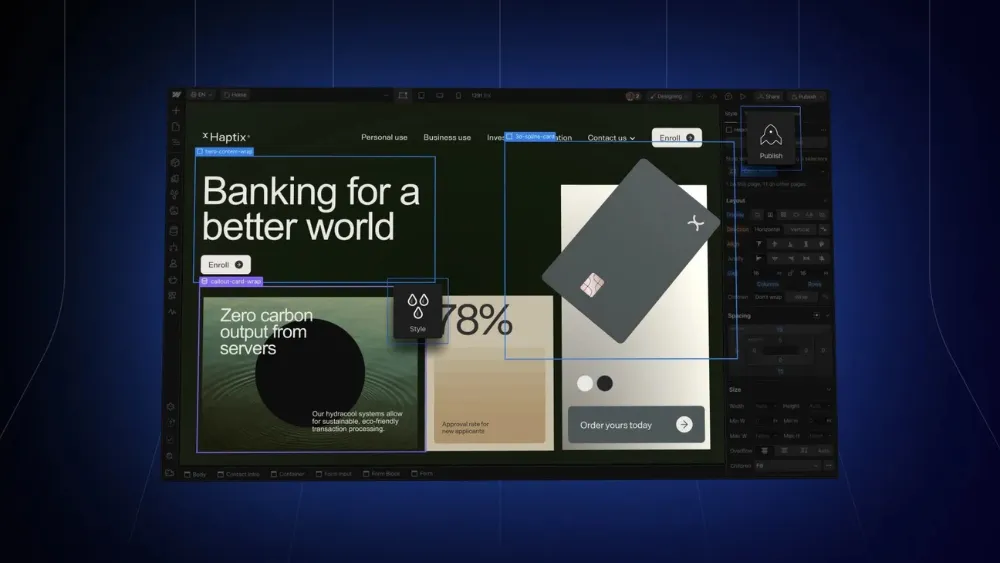
6. Webflow
Webflow combines visual development with CMS capabilities and is relevant to evaluate for a design-led marketing site. It still benefits from coding knowledge and an understanding of layout, responsive behaviour and content structure. A visual interface does not remove the need for careful implementation.
Distinguish building the site from editing it afterwards. A developer can organise components and CMS fields so routine content changes are more focused. Ask to see the editor's experience with your own material, including long titles, optional imagery and new entries.
Check integrations and custom code early. Establish which requirements are native to the proposed setup, which use an external service and who maintains any additional dependency. Confirm the current site and workspace arrangements with the supplier, along with the recurring costs and access your team will receive.
Fit Design's Webflow work can be discussed in those terms: the content model, approved visual direction, responsive implementation and handover required for your project. The platform is a means of delivering that work, rather than a guarantee that every website built on it will be effective.
Compare the shortlist through the same practical test
Use the same content and task when comparing tools. Otherwise, you may be comparing an excellent demonstration in one platform with an unfinished page in another. A useful test includes a long heading, an image, repeatable content, navigation and the main action the site needs to support.
| Area | Task to demonstrate | Question to resolve |
|---|---|---|
| Editing | Add a realistic content item | Can the intended editor do it safely? |
| Design | Review a long page on mobile | Does the layout support the actual material? |
| Functionality | Complete the main user journey | Which integrations or applications are required? |
| Ownership | Explain access and export options | What happens if the team or supplier changes? |
| Cost | List launch and recurring charges | What is excluded from the headline price? |
Record the result in plain language. “The editor can add a case study without changing layout settings” is more useful than a subjective ease-of-use score. If a task requires a workaround, describe it and decide whether the additional work is acceptable for the benefit it provides.
For an existing website, add a migration exercise to the comparison. Choose a real page and a small group of content items, then establish how they would move into the proposed system. Check whether important URLs, image descriptions and links can be preserved. A platform may be comfortable for creating new pages while the transfer of established content requires a separate piece of work.
Test content exceptions as well. A case study with no optional image should not leave a broken layout, and a longer product name should not obscure its price or controls. The test is not whether you can manually perfect one example; it is whether the structure supports the range of material the business will publish. Ask how those exceptions are handled before approving a design system that only works with demonstration content.
Understand domain, hosting and integration responsibilities
The domain is the address people use to reach the site. Hosting or a hosted platform provides the environment in which it operates. These services may be sold together, but they are distinct responsibilities. Keep the accounts and renewal information under the business's control.
If you compare separate hosting, an offer such as a Bluehost coupon may reduce an introductory charge, but it does not establish long-term value. Read the renewal terms, included services and support scope. Compare the actual requirement instead of choosing solely on the first promotional figure.
Dreamhost is another provider retained from the original shortlist. Ask the same questions of every proposed host: what is managed, what remains your responsibility and how would a fault or recovery request be handled? A provider's reputation is not a substitute for understanding the service you are purchasing.
Business integrations may require specialists, including power apps developers where the underlying requirement involves that ecosystem. Define which system holds each piece of information and what happens when a connection fails. Website design software and application-integration expertise solve different parts of the overall problem.
Budget for the finished workflow
A subscription price is one input into the budget. Include content preparation, design adaptation, implementation, testing and handover where required. Add recurring applications, licences and agreed support. A platform that appears inexpensive can require substantial work to accommodate an unusual scope.
Conversely, a more capable tool may be unnecessary for a small project whose content is ready and whose requirements are straightforward. Do not pay for a complex configuration merely because it leaves more theoretical options open. Identify foreseeable needs and assess the cost of meeting them when they become real.
Separate promotional offers from the price you will pay on renewal, and compare equivalent billing periods. Confirm whether quoted amounts include applicable taxes and which charges belong to external suppliers. These details make a budget useful without relying on a quickly outdated list of plan prices.
The tools around the website builder
A working website also needs content, visual assets and a way to review quality. Keep the supporting toolkit small enough that each tool has a clear purpose. Buying overlapping subscriptions can add administration without improving the finished experience.
Plan how the site connects with your social media channels and other communications. A campaign asset should match the destination and its current offer. Keep original files and reusable templates organised so the team can make consistent changes without recreating the brand from scattered screenshots.
Visual assets and interface planning
Canva can support the preparation of graphics, while a dedicated interface-design tool can help plan page layouts and interactions. Choose according to the output required. A social image, an editable interface design and a production page are different deliverables, even when they share colours and typography.
Prepare imagery at sensible dimensions and inspect compression results. A tool that reduces file size may alter fine detail or introduce artefacts. Keep the original available and compare the exported version in context. Check licences and permissions for stock assets and fonts rather than treating availability online as permission to reuse them.
Writing and content review
Grammar checkers and writing assistants can help identify awkward phrasing or produce an initial draft. They cannot verify the business's claims or know which details customers need without suitable input. A person responsible for the subject should review accuracy, tone and completeness before publication.
Structure content around the reader's task. An article may need connected explanation, while a specification list needs concise parallel entries. Avoid letting a writing score dictate the layout or inserting keywords until the page sounds unnatural. The software should support editorial judgement, not replace it.
Search and analytics
Search Console can help investigate how a site appears in Google Search and identify relevant indexing information. Analytics tools address visitor behaviour and events. These are different views of the website, so define the question you are trying to answer before collecting another report.
Verify the setup with real tasks. A recorded click on an enquiry button does not establish that the form was completed or delivered. Compare reporting with what the receiving team sees. Keep measurement appropriate to the information handled by the site and assign someone to review findings and act on them.
Accessibility and responsive testing
WAVE and similar evaluation tools can help identify accessibility issues, but automated checks do not establish that the complete experience is accessible. Include keyboard operation, visible focus, understandable forms and review with real content. Where specialist assessment is needed, plan it within the project.
Responsive-view tools can make layout inspection more efficient, but they do not reproduce every aspect of an actual phone or browser. Test important journeys on representative devices and check difficult states such as long content, missing optional images and validation errors.
Booking, payments and project coordination
Booking and payment services should be chosen around the transaction the business needs to support. Confirm availability, cancellation, notifications and the information passed to the team. An embedded widget is only one visible part of that workflow.
Use a project-management tool to record decisions, responsibilities and outstanding issues. The particular brand is less important than a shared process that people follow. A task board does not replace clear acceptance criteria or confirmation that a reported defect has been corrected.
Should you use the software yourself or hire a specialist?
DIY can be appropriate when the scope is manageable and someone has time to learn, create content and test the result. Allow for that work in the comparison. A tool may reduce implementation effort without removing the need for design judgement or ongoing ownership.
A freelancer can provide focused expertise, while an agency may coordinate several disciplines. Neither structure guarantees quality. Compare the actual people, responsibilities and relevant examples, and ask what your team must supply. Development from finished designs is different from a project that also needs positioning, copy and visual direction.
If you hire someone, ask for a demonstration before extending the approach across the whole site. Review a representative page and an ordinary editing task. This makes expectations concrete and reveals whether the proposed software and implementation fit the way your business works.
Choose the tool through the work
Shortlist platforms using your content, functionality and ownership requirements, then test them with the same realistic task. Confirm recurring commitments and the support needed to maintain the site. Keep the reasoning visible so the decision can be revisited if the business changes.
The professional result comes from how the software is used: clear structure, suitable content, careful implementation and a reliable handover. Whether you work with Fit Design or another supplier, ask for evidence of those qualities. A familiar platform name is a starting point for the conversation, not its conclusion.
Product references: Elementor, Wix, Shopify themes, Weebly, GoDaddy, Webflow CMS and WAVE. Verify the current product configuration and charges against the scope you need.
Start with the required content, functionality, editing workflow and ownership arrangements. Compare shortlisted tools through the same realistic task, then confirm the current configuration, recurring costs and support responsibilities.
No. Interface-design software helps plan layouts and interactions, while a builder or development environment implements the working site. A project may use both, alongside tools for content, assets and testing.
There is no universal winner. Evaluate the platform against the tasks the site and its editors need to perform. Test real content, integrations and mobile behaviour rather than choosing solely from a demo or a headline subscription price.
Request a scoped proposal covering the work you need. Content preparation, unique layouts, integrations, testing and handover affect the effort. Compare inclusions and recurring commitments rather than relying on an unsupported hourly average.
Many builders support visual editing, but creating a dependable site still requires decisions about structure, content and testing. Technical knowledge can help with custom behaviour and troubleshooting. Establish which tasks your team can manage and where specialist support is needed.



.webp)
Where ideas come to life
We explore various aspects of modern life, offering valuable perspectives on the latest trends, and helpful tips.

