

Stay updated with our letter
Valuable perspectives on the latest trends and tips.
.avif)


Video Marketing for Businesses: 8 Tips To Generate Leads For Beginners



A useful business video answers a question that is easier to understand when someone can see or hear the explanation. That might be a product demonstration, a walkthrough of a service or an account of a real project. Views can indicate attention, but a lead-generation campaign also needs a relevant destination and a clear next step.
Start with that journey before choosing equipment or an AI online video editor. What should the viewer understand afterwards, and what can they do with that understanding? A polished film can still disappoint if it sends people to an unrelated homepage or promises something the business does not provide.
This guide explains eight decisions that make video more useful in a marketing plan. It also covers production, hosting and the website experience around the player. The examples are hypothetical unless a named source is identified; they are not claims of measured client results or guaranteed conversion improvements.
What video can add to a business website
Video can show movement, demonstrate a sequence and let a person explain a subject in their own voice. Those qualities can help with a complex product or a service that is difficult to picture. They do not make video the best format for every question.
A visitor comparing a price or checking a condition may prefer readable text. A person in a quiet office may not play audio. Keep essential information available in a form that does not require watching the whole recording, and use the video to add clarity rather than replace every written explanation.
Review video marketing metrics in relation to the purpose of the asset. Watch time, completion and clicks describe different behaviours. A short answer that helps someone quickly can be successful even if it does not produce a long viewing session; an entertaining clip can hold attention without creating interest in the service.
1. Choose a specific audience question
Begin with the question the viewer is trying to answer. “How does this product fold?” is a stronger production brief than “make an engaging brand video”. For a service business, the question might be what happens during a project or what the customer needs to prepare before work begins.
Use enquiries, sales conversations and support questions to identify the subject. Avoid inventing a detailed audience persona when you have not spoken to or observed the people concerned. A simple account of the task and uncertainty is often enough to guide the first video.
Dove's Real Beauty Sketches is a named example of a campaign built around a particular idea about perception. It can be studied for its narrative approach, but a small business should not assume that borrowing an emotional format will reproduce another brand's reach or commercial results.
For a hypothetical website agency, a useful first subject might be “What can I edit after launch?” The video could show the actual editing workflow, explain which changes are routine and identify when specialist help is needed. That is a concrete question a prospective client may have before committing to a build.
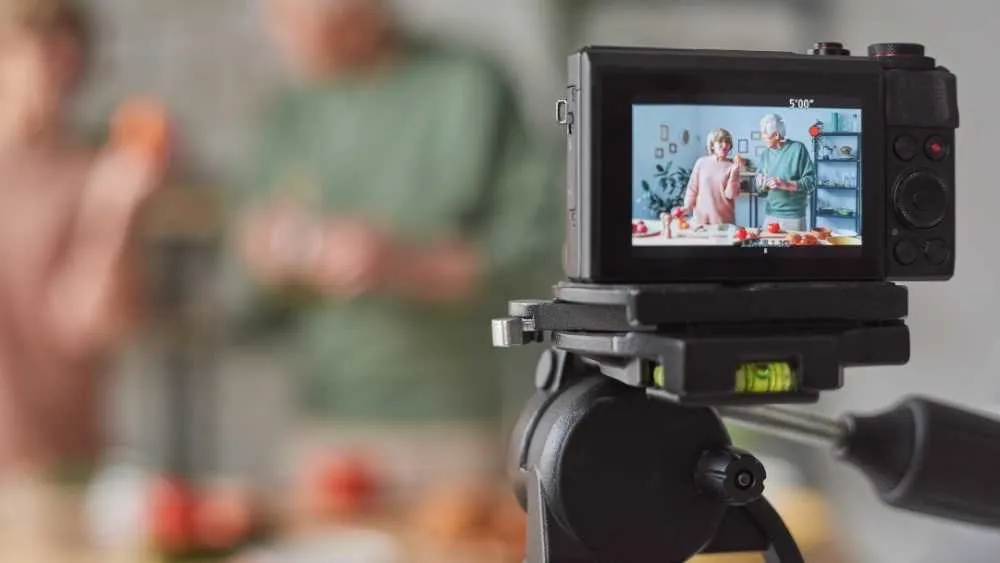
2. Build a clear explanation before adding effects
A simple narrative gives the viewer a reason to continue: establish the problem, show the relevant action and explain what the result means. For a demonstration, the sequence of the task may provide the structure naturally. Not every business video needs a dramatic story arc.
Write the main message in one sentence, then decide what must be shown to support it. If the subject is an editing workflow, the viewer needs to see the fields, the preview and the resulting page. Decorative footage can provide context, but should not obscure the action being explained.
Use evidence honestly. A client story should describe the work that actually happened and distinguish an observed result from an expectation. A concept or hypothetical scenario should be labelled. Do not invent testimonials, imply a customer used a feature they did not use or attach an unsupported percentage to the final frame.
Read the script aloud before recording. Remove phrases that sound formal but add little information. A sentence that is easy to scan in an article may be difficult to follow in speech, so use direct language and leave enough time for the relevant visual to be understood.
3. Make the video and its page discoverable
Apply sensible SEO tactics to the page and the video information: use a descriptive title, explain the subject accurately and make the content accessible. A title should identify what the viewer will learn rather than repeat several near-identical keywords.
Google distinguishes pages where watching an individual video is the main purpose from pages where a video is supplementary. If video-search visibility is an important objective, review the current video guidance and plan the page accordingly. Embedding a clip somewhere in a long article does not guarantee that it will appear as a video result.
The surrounding page should still be useful. Introduce the subject, provide relevant supporting information and make the next step clear. A transcript can help people review the content, but it should be checked for accuracy rather than published as an unedited block of automatic speech recognition.
Use an honest thumbnail that represents the content. A dramatic image may win a click while creating the wrong expectation. The title, thumbnail and opening should agree about the subject so that the visitor can decide whether the video is worth their time.
4. Adapt distribution to the viewing context
A video made for a website demonstration may need a different edit for a social feed. Consider the available space, the likely sound setting and how the viewer reaches additional information. Keep essential text legible and ensure the crop does not remove the part of the action being explained.
Choose channels because the audience and subject fit, not because every platform supports video. A detailed tutorial may need a setting where people intentionally search and watch, while a short excerpt can introduce the subject elsewhere. The excerpt should make sense on its own and point accurately to the fuller resource.
Test the real viewing route on relevant devices. A cheap VPN can change some aspects of a connection, but it does not reproduce an average local user's entire experience. Device, account history, language and platform behaviour can still differ. Use it only with a clear understanding of what the test can and cannot tell you.
Review the destination reached from each distribution route. A link in a description, profile or campaign should lead to the relevant page and preserve a clear path to the next action. Do not assume that viewers will search the whole website to find the subject they just watched.
5. Use live video when interaction adds value
Live video can be useful for questions, demonstrations and discussions where the audience's participation changes the conversation. It is less useful when a short prepared explanation would answer the same need more clearly.
Plan an outline and a way to handle questions. Decide who presents, who monitors the audience and how you will respond if the answer is not known. It is better to acknowledge a question for later verification than to improvise an unsupported technical or commercial claim.
Test the sound, screen sharing and connection before the session. Keep sensitive information out of the shared screen and use appropriate demonstration data. A live product walkthrough should not expose customer records or private account details merely to make the demonstration feel authentic.
Plan the recording's later use too. A long live session may benefit from a concise summary, chapters or selected excerpts. Check permissions and review the recording before republishing it, especially where an answer needs correction or an audience contribution includes information that should not be shared.
6. Offer a next step that matches the video
A call to action should follow from what the viewer has learned. A beginner explanation may point to a fuller guide. A service walkthrough may invite a project discussion. A product demonstration may lead to the relevant product information and buying options.
Make the action specific. If the link opens a briefing form, say so. If it provides a downloadable resource, explain what the resource contains. Avoid promising an instant answer when the destination only collects contact details for a later conversation.
The page around the video can carry the action without interrupting the recording repeatedly. Consider whether an in-player form helps the task or prevents someone from understanding the material. Gating a basic explanation may reduce its usefulness even if it produces a few additional email addresses.
Test the complete route. Click from the actual player or description, review the destination on a phone and submit the form where relevant. Confirm the enquiry reaches the team and that the acknowledgement explains what happens next. This is where video production becomes part of the wider website project.
7. Make variations relevant rather than superficially personal
Different audiences may need different examples or levels of detail. A technical buyer and a first-time business owner may ask different questions about the same service. A useful variation changes the explanation to suit those needs, rather than simply adding the recipient's name.
A short response to a genuine project question can feel personal because it addresses the actual context. Do not imply that you have reviewed a prospect's website or data when you have not. A generic recording should be described honestly.
Keep a manageable number of versions. Each variation needs review, captions and a plan for updates. If a product feature changes, the team should know which recordings contain the old information. Uncontrolled personalisation can create a maintenance problem that outweighs its benefit.
Use customer information through an appropriate data process. Collecting more behavioural detail is not automatically necessary to make a video relevant. Often, a clear choice between subjects gives the viewer control without requiring extensive profiling.
8. Measure the journey, not just the play count
Decide what the video is intended to achieve before reviewing the dashboard. An awareness film, a support tutorial and a lead-generation demonstration need different measures. A play count is an activity measure, not proof that the viewer understood the offer or became a customer.
Look for points where the evidence suggests a question. If many viewers stop before the demonstration begins, the introduction may be too long or the title may have set the wrong expectation. If people watch but do not visit the relevant page, inspect whether the next step is useful and visible.
Compare similar conditions where possible. A video shown to existing customers is not directly comparable with one promoted to a new audience. Platform definitions of a view can differ, so avoid adding totals together without understanding what each number represents.
Read enquiries and feedback alongside the viewing data. A prospective client referring to a particular explanation can provide useful context, but it is still one observation. Keep the conclusions proportionate and allow enough time and activity before declaring a reliable commercial effect.
Choose the length around the explanation
Shorter videos can work well for a narrow question or a social excerpt, while a complex demonstration may need more time. There is no universal duration that makes every business video effective. Cut material that does not help, but do not remove a necessary explanation simply to meet an arbitrary limit.
For a hypothetical editing walkthrough, the opening might identify the task, the middle demonstrate one change and the ending explain the result and limits. If the recording expands into an unrelated tour of every feature, consider separating those subjects into other resources.
Watch the draft with someone unfamiliar with the script. Ask what they understood and which question remains. A shorter recording that leaves a critical step unexplained is not necessarily an improvement over a slightly longer one that completes the task.
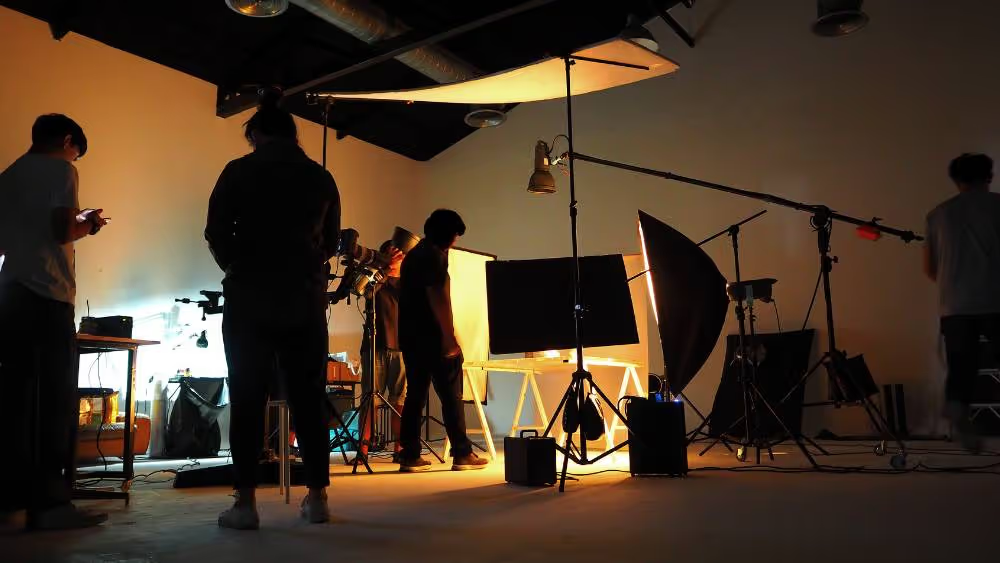
Choose production tools around the work
An online video editor can be suitable for a simple project, while a more advanced desktop editor may be appropriate for complex audio, colour or compositing work. Compare the actual editing task, export requirements and the skills available in the team.
Before committing to a tool, make a small test project. Import representative footage, add the required text and captions, then export in the intended format. Check for watermarks, licensing conditions, quality changes and restrictions that could affect the finished asset.
Clear sound and understandable framing often matter more than elaborate effects. Record in a suitable environment, keep the subject visible and avoid background music that competes with speech. If the viewer needs to read a screen, make the relevant detail large enough to follow.
Keep the source project, approved script, captions and final exports organised. Record where each version is used. This makes a later correction much easier than searching several folders for a file named “final-final” and guessing which upload it replaced.
Study formats without copying their promises
CrashCourse’s educational catalogue is one place to examine how a subject can be divided into understandable explanations. Kurzgesagt – In a Nutshell offers a contrasting reference for animated presentation. Study the relationship between narration and visuals, while recognising that the production effort may be very different from a small business campaign.
Silently Cooking and Ryan Shirley provide references for different visual subjects and pacing. A cooking sequence and a travel film ask the viewer to follow different kinds of information. The lesson is to match the treatment to the subject rather than assume one successful format belongs in every marketing plan.
Vevo’s official channel can be examined for music-led presentation, while Unbox Therapy is a reference for product-focused video. Neither a music video nor an independent product review should be confused with a customer testimonial. If you use testimonials, they need to reflect a real person's experience accurately.
A gaming channel such as Dr DisRespect represents another viewing context. Popularity in entertainment does not establish relevance to a professional-service audience. Treat these links as format references to assess critically, not a ranking or an endorsement of every creator or piece of content.
Plan the website player as part of the design
Choose hosting around the purpose of the video. Public discovery, control of the embedded player, privacy settings, captions and reporting can lead to different requirements. Confirm the current provider features and plan conditions instead of relying on a historical free-versus-paid list.
On the page, introduce the video and make its purpose clear before asking someone to play it. Provide suitable controls and avoid unexpected audio. Keep supporting text close enough that the visitor can understand the subject without jumping between disconnected sections.
Review loading behaviour on a typical mobile connection. A heavy embed should not prevent the main content from appearing or make the page shift unexpectedly. Work with the website developer to choose an appropriate implementation and test the final page rather than only the video file.
Accessibility needs planning during production as well as implementation. W3C guidance distinguishes captions, transcripts and descriptions of important visual information. Captions represent meaningful audio; they do not automatically communicate an essential action that is visible but never described. Review what the viewer needs to understand and provide appropriate alternatives.
A practical brief for a first business video
For a hypothetical service company, choose one recurring question such as “What happens after I send a project enquiry?” The audience is a prospective client who wants to understand the process before sharing details. The recording should explain the next steps accurately and direct the viewer to the relevant enquiry page.
Prepare a short script and a simple shot list. You might show the form, explain which details are helpful and describe how the team reviews the request. Use demonstration data and avoid promising a fixed response time unless the business can consistently meet it.
Review the draft with someone outside the project. Ask them what they expect to happen after submitting and whether any part of the explanation is unclear. Correct the script or page where their understanding differs from the actual process.
After publishing, check the video, captions, links and form together. Record the version and review it when the enquiry process changes. A useful video is a maintained piece of service information, not just a launch-day asset.
Review the rough cut with the intended viewer in mind
Before paying for a final polish, review whether the rough cut answers its question. Imagine a service demonstration in which the presenter says that updating a page is straightforward, but the recording skips from the dashboard to the finished result. The missing action is the evidence the viewer came for. Restore that step before spending time on transitions or background music.
Separate the review into content and presentation. First check names, figures, interface labels and the sequence of actions. Then look at pacing, sound, captions and the legibility of text. This makes feedback more precise: “the form label disappears before I can read it” gives an editor something to fix, while “make it more engaging” leaves the problem undefined.
Watch the recording in the context where it will appear. A large preview monitor can hide the fact that a screen capture becomes unreadable inside a phone-sized player. A caption may cover the button being demonstrated. A busy thumbnail may look attractive in the editing application but become difficult to interpret beside the article heading.
Finally, establish who can approve the content and who will maintain it. A change to a service, interface or promised process can make a recording inaccurate while leaving its visual quality intact. Keep a short record of the assumptions behind the video and the pages using it. That gives the team a practical way to decide whether a later change needs a new recording, an edited segment or an updated written explanation.
Connect production to the wider marketing plan
Video belongs within digital marketing when it supports a clear audience need and a measurable journey. Plan its distribution, destination and follow-up alongside the production work. That makes it easier to decide whether another recording is needed or whether the existing page needs a clearer explanation.
For a website discussion with Fit Design, bring the intended video and the question it should help answer. The page design can then support it with the right context, written information and next step. An attractive player alone is not a lead-generation strategy.
The most useful first video is often modest: one clear explanation, accurate evidence and a working route for the person who wants to learn more. Build from that result rather than assuming that a larger production budget or a higher view count will solve every marketing problem.
Primary references: Google's video SEO guidance and W3C guidance on accessible audio and video. Review the current publishing and accessibility requirements for the format you choose.
Choose one recurring customer question that benefits from a demonstration or spoken explanation. Define what the viewer should understand and the useful next step before writing the script.
Use the time needed to explain the chosen subject clearly. A narrow question may suit a short recording, while a detailed demonstration may need more time. Remove repetition without cutting necessary context.
The requirements depend on the subject and intended use. Start by testing whether the sound, framing and screen detail are clear. More equipment will not fix an unclear message or an unsuitable destination page.
No. Plan an accurate, useful page and follow the relevant publishing guidance. Video-search eligibility depends on factors beyond simply adding an embed, and visibility is not guaranteed.
Define the intended journey, then examine relevant viewing activity, destination visits and genuine enquiries. Keep platform definitions and sample sizes in mind, and distinguish attention from a commercial result.



.webp)
Where ideas come to life
We explore various aspects of modern life, offering valuable perspectives on the latest trends, and helpful tips.

